
Key takeaways:
- 3CX’s own backup settings list AWS S3, Google Cloud Storage and Azure Blob Storage as remote destinations, plus SFTP, FTP and SMB. Wasabi, Backblaze B2 and other S3-compatible providers are not on that list.
- Partners who want Wasabi or B2 have usually worked around it: FTP to a gateway, a local backup plus a copy script, or a general-purpose backup tool.
- Each workaround works, and each leaves you with something extra to maintain and no confirmation that the copy landed.
- Controvo’s Backup Manager sends 3CX backups to Wasabi, Backblaze B2 and several other S3-compatible providers from one place, and confirms each backup.
- Which option fits depends on how many systems you run and who owns the offsite copy when something fails.
The Short Answer
If you manage one or two 3CX systems and don’t mind a script, a local backup plus a scheduled copy to Wasabi or Backblaze B2 is fine. If you manage a fleet, you want one place to connect the storage, see which backups landed, and see usage per customer. That is what Controvo Backup Manager does. The rest of this post lays out the options so you can pick.
What 3CX Supports Natively
3CX’s documentation lists remote storage locations for backups: AWS S3, Google Cloud Storage and Azure Blob Storage. Its backup documentation also covers remote FTP/SFTP and SMB targets, and says local disk is best treated as temporary storage.
If your storage is Amazon, Google or Azure, you can stop here and configure it in the 3CX console, one system at a time. The gap is everything else. Wasabi and Backblaze B2 speak the S3 protocol but are not a built-in choice, and partners keep asking about them in the 3CX community.
Option 1: Use What 3CX Offers
Pick AWS S3, Google or Azure and set it up in each system’s storage settings.
- Good for: a small number of systems, customers who already live in one of those clouds.
- Watch for: configuring every system by hand, and no fleet-wide view of which backups succeeded.
Option 2: FTP or SFTP to a Gateway
Some partners point 3CX’s FTP or SFTP backup at a service that sits in front of object storage. Community threads on FTP backups to Wasabi show it working for some people and failing for others, including hostname and passive-mode problems.
- Good for: one-off setups where you already run the gateway.
- Watch for: another service to run and secure, and failures that are hard to diagnose.
Option 3: Local Backup Plus a Copy Script
Run the 3CX backup to local disk, then use a scheduled script to copy the file to your bucket. It is the most common workaround in the forums.
- Good for: technical teams with a handful of systems.
- Watch for: the script becomes your problem. It can fail silently, it needs credentials stored on the phone system, and nothing tells you when the copy didn’t happen.
Option 4: A General-Purpose Backup Tool
Products such as NAKIVO can back up to Wasabi and other S3-compatible storage. They are built for servers and virtual machines in general, not for 3CX, so they know nothing about 3CX backup settings, schedules or versions.
- Good for: partners who already pay for one of these tools and want one product for everything.
- Watch for: extra licensing per host, and no 3CX-aware retention or confirmation.
Option 5: Controvo Backup Manager
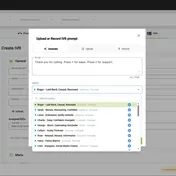
Backup Manager sends 3CX backups to Wasabi, Backblaze B2, DigitalOcean Spaces, Hetzner, OVHcloud, Scaleway, Seagate Lyve Cloud, Vultr, Akamai (Linode) and Amazon S3, and to PeaSoup Cloud in a backups-only mode. You add the storage connection once and choose the phone systems that use it.
What it adds on top of getting the file there:
- Confirmed backups. Each job shows Confirmed, or Failed with the reason 3CX gave.
- Advanced retention policies. Clean Up deletes by age, keeps the newest few, and can keep the newest of each 3CX version, with a preview before anything is removed.
- Usage per customer. A storage view matched to your customers, with a growth chart and 90-day projection.
We are not publishing how it works. We are telling you it works, and that two of the providers, Wasabi and Backblaze B2, are validated with real 3CX backups.
- Good for: partners with more than a few systems, and anyone who needs to show a customer that backups are running.
- Watch for: it is part of Controvo, so it fits partners already using or evaluating the platform.
How to Choose
| Your situation | Best fit |
|---|---|
| A few systems, already on AWS, Google or Azure | Option 1 |
| A few systems, comfortable maintaining a script | Option 3 |
| Already paying for a general backup product | Option 4 |
| A fleet of customers, Wasabi or B2, and a need to prove backups ran | Option 5 |
Frequently Asked Questions
Can 3CX back up to Wasabi natively?
3CX’s documented remote storage options are AWS S3, Google Cloud Storage and Azure Blob Storage, plus FTP/SFTP and SMB. Wasabi isn’t listed, which is why partners use workarounds or a tool like Backup Manager.
Can 3CX back up to Backblaze B2?
Not as a built-in 3CX destination. Controvo Backup Manager supports Backblaze B2 and has validated it with real 3CX backups.
Do I need a separate backup product for 3CX?
Not necessarily. The 3CX backup is the file you need to restore a system. What a separate product adds is the offsite copy, confirmation and retention, which is what Backup Manager covers for 3CX specifically.
How long should I keep 3CX backups?
It depends on the customer, and we cover it in how to back up 3CX across every customer you manage.
Try It
Backup Manager is available now in Controvo. Open Controvo and go to Tools → Backup Manager, or read the Backup Manager page. Not a Controvo partner yet? Get started.
For the full list of what shipped, see the October & November 2026 release notes.