
Key takeaways:
- Configured is not the same as working. A failing scheduled backup looks identical to a healthy one until you need it
- Recordings dominate backup size, so decide deliberately whether they belong in the same job as your configuration
- Backups stored on the PBX itself do not survive the most common reason you need them
- Restore is where the surprises live: licences, FQDN, certificates, and trunk credentials all need thinking about before the bad day
- If you have never restored a backup from a given customer, you do not know whether that customer has backups
The Short Version
Back up 3CX configuration nightly on most systems, weekly on small stable ones, and always immediately before a planned change. Keep configuration backups for 30 days, store them somewhere other than the PBX itself, and encrypt them, because a 3CX backup contains trunk and extension credentials.
Handle call recordings as a separate job with their own retention, since they’re far larger and often carry a different obligation. Then restore one system per quarter into a test environment, because a backup nobody has restored is untested rather than safe.
The Failure Mode Is Silence
Nobody manages 3CX for other people without backups configured somewhere. That’s not usually the problem.
The problem is that a backup job which has been failing for four months looks exactly like one that ran last night, unless something is specifically watching the age of the most recent successful file. The job exists. The schedule exists. The console shows a schedule. Nothing is red.
You find out during a restore, which is the worst possible moment to find out, because by definition you’re already having a bad day.
So the useful question isn’t “do we have backups.” It’s “for each system I manage, when did a backup last complete successfully, and has anyone ever restored one?” Most partners can’t answer either question quickly across their whole portfolio, and that gap is the real risk.
Decide What’s Actually in the Backup
A 3CX backup can include a lot more than configuration, and the options matter more at fleet scale than they do for a single system.
Configuration is small, fast, and the thing you almost always want: extensions, ring groups, IVRs, trunks, DIDs, dial plans, users. If you only get one thing, get this, and get it often.
Voicemail is small enough not to worry about and occasionally matters a great deal to a specific user.
Call recordings are the decision point. On a busy system they can be orders of magnitude larger than everything else combined, and including them turns a quick nightly job into something that takes real time and real storage. There’s also a reasonable argument that recordings have a different retention requirement than configuration, sometimes a legally defined one, and that bundling them into the same job makes both harder to reason about.
A pattern that works well: back up configuration frequently and keep it for a long time, because it’s cheap. Handle recordings as a separate concern with their own schedule and retention, driven by whatever the customer’s actual obligation is.
Check the exact option names and available destinations for the 3CX version you’re running, because these have changed between releases and differ between v18 and v20.
Where Backups Should Live
A backup stored only on the PBX doesn’t survive the scenario you most need it for.
The common reasons you restore a 3CX system are: the server is gone, the VM is corrupt, the host died, or someone made a change that broke something badly enough that rolling back beats fixing forward. Three of those four take the local disk with them.
So the rule is straightforward: backups need to end up somewhere that isn’t the system being backed up. 3CX supports remote destinations, and which ones depend on your version, so configure one rather than relying on the default local path.
Two things worth deciding as policy rather than per-system:
Encryption. If backups leave the box, encrypt them. A 3CX backup contains trunk credentials, extension credentials, and voicemail, which is a meaningful amount of sensitive material to have sitting in cloud storage unencrypted. If you set an encryption password, store it somewhere your team can actually find it during an incident, which is not the same place as the backup.
Ownership. Decide whether backups live in your storage or the customer’s. Both are defensible. Customer-owned storage is cleaner for data ownership and offboarding. Partner-owned is easier to monitor and standardise. What causes trouble is not deciding, and ending up with a portfolio where it varies system by system and nobody knows which is which.
For what it’s worth, Controvo’s approach here is that backups stay in your own 3CX environment and your own configured storage, and we never store the payloads. That’s a deliberate choice: it keeps us out of the custody chain for your customers’ credentials.
Retention and Frequency, By Customer Type
Uniform policies across a mixed portfolio produce either wasted storage or thin coverage. A reasonable starting shape:
| Customer profile | Config backup | Retain | Recordings |
|---|---|---|---|
| Small, stable, few changes | Weekly | 8 weeks | Per obligation, separate job |
| Typical SMB | Nightly | 30 days | Per obligation, separate job |
| High change volume or many users | Nightly, plus before any planned change | 30 days, plus tagged pre-change copies | Separate job, separate retention |
| Contractual uptime commitments | Nightly, plus pre-change | 90 days | Separate job, documented retention |
The row that earns its keep is the pre-change backup. Taking a config backup immediately before a planned change costs a couple of minutes and converts “we broke it and we’re debugging under pressure” into “we rolled it back and we’ll debug tomorrow.” That’s the single highest-value backup habit in this list, and it’s the one most often skipped because it’s manual.
Restore Is Where the Surprises Are
Config backups restore cleanly most of the time. The friction is around the edges, and it’s worth knowing before the bad day rather than during it.
Licensing. A restore onto different hardware or a rebuilt instance can require licence reactivation. Know where your licence keys are and who can reactivate them, and know it now.
FQDN and certificates. Restoring to a system with a different FQDN affects provisioning and certificate validity. Phones that provision against a hostname will not find a system that came back under a different one, and an expired or mismatched certificate produces symptoms that look nothing like a certificate problem.
Trunk registration. Some carriers tie registration to IP. A restore that lands on a new address can come up with everything configured correctly and trunks still refusing to register, which is a confusing place to be at 3am.
Version drift. Restoring an old backup onto a newer 3CX build is not always clean. This is a good reason not to let backups get old and a better reason to test.
Phone provisioning. Config restores bring back extension records. Whether handsets re-provision automatically depends on how they were set up, and “the config is back” is not the same as “the phones work.”
None of these are exotic. They’re just the sort of thing you’d rather discover on a Tuesday afternoon with a test VM than during an outage.
Test Restores, or Admit You Don’t Have Backups
This is the part everyone agrees with and almost nobody does.
You don’t need to restore every customer every month. You need enough evidence to believe the process works. A practical cadence: restore one system per quarter into a test environment, rotating through customers so that over a year you’ve touched a representative sample, and always restore after any significant change to how backups are configured.
Write down what happened. How long it took end to end, what needed manual intervention, what you had to look up. The second restore is dramatically faster than the first purely because someone wrote down where the licence keys were.
If a customer has never had a backup restored and never had one verified, the honest internal status is “backup status unknown,” not “backed up.”
Making This Manageable Across a Portfolio
Everything above is straightforward for one system and gets unmanageable at thirty, because it’s all per-system configuration that nobody looks at.
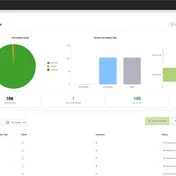
The minimum you need at fleet scale is a single view answering: for every system, when did a backup last succeed, is a schedule configured, and where is it going. Once you can see that in one place, stale backups become obvious instead of theoretical, and the weekly review takes a couple of minutes.
That’s the specific gap Controvo’s Backup Manager was built to close, with backup status across every system in one table plus scheduled and on-demand runs. If you’d rather assemble it yourself, the requirement is the same: one place that shows backup age per system, and an alert when that age crosses a threshold you chose.
Frequently Asked Questions
How often should I back up a 3CX system?
Nightly for configuration on most systems, weekly for small and stable ones, and always immediately before a planned change. Configuration backups are small enough that frequency is rarely the constraint.
Should call recordings be in the same backup as configuration?
Usually not. Recordings are far larger and often carry different retention requirements, so a separate job with its own schedule keeps both easier to manage.
Where should 3CX backups be stored?
Somewhere other than the system being backed up. 3CX supports remote destinations, and the available options vary by version, so pick one deliberately rather than leaving backups on local disk.
Should I encrypt 3CX backups?
Yes, if they leave the server. A backup contains trunk and extension credentials. Store the encryption password somewhere your team can reach during an incident and separately from the backups themselves.
What breaks when you restore a 3CX backup?
Most often licensing reactivation, FQDN and certificate mismatches, and trunk registration where a carrier ties it to IP. Configuration itself usually restores cleanly.
How do I know my backups actually work?
Restore one. Rotate through customers quarterly into a test environment, and document how long it took and what needed manual steps. A backup that has never been restored is untested, not safe.
Related reading:
- What to monitor on 3CX when you manage it for other people — how to get alerted when a backup goes stale instead of finding out during a restore
- The 3CX Partner Portal is free. Here’s what it doesn’t do. — why backup age isn’t visible in the free tooling
- Which tool should you use to manage multiple 3CX systems? — the wider tool comparison