
Key takeaways:
- 3CX released a security alert on March 31, 2026: IP-based SIP trunks are vulnerable to fraud attacks. Update 8A is the fix.
- MSPs managing dozens of 3CX systems can’t patch them fast enough by logging into each admin console one at a time
- Controvo’s new Update Manager lets you push 3CX updates on demand. Pick what to apply, confirm, done.
- A two-step wizard makes update selection explicit so nothing gets pushed by accident
The Problem With a Security Alert When You Manage 50 Systems
On March 31, 2026, 3CX published a security alert: IP-based SIP trunks are at risk of fraud attacks. The fix is Update 8A.
For an MSP with a handful of systems, that’s an hour of work. Log in, update, move on. For an MSP managing 50 or 100 3CX instances, it’s a different problem. Each system means opening a browser tab, authenticating to the admin console, checking for the update, and applying it. However fast you grind through the list, the systems at the bottom sit exposed while you work your way down.
There’s no good version of that workflow.
What Controvo Built
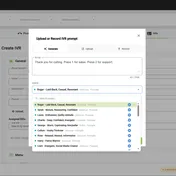
The Update Manager is Controvo’s first dedicated tool. Starting April 1, every phone system in Controvo has an Update Now action. Choose which updates to apply, confirm your selection in a two-step wizard, and push. No leaving Controvo, no opening a separate browser tab for each system.
The two-step wizard is deliberate. You select the updates you want to apply. You see exactly what you’ve chosen. Then you confirm. Nothing gets pushed by accident.
The Update Manager Tool
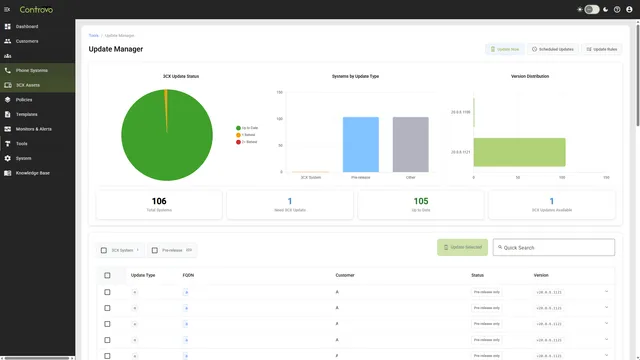
Beyond the table action, the Update Manager gives you a full-page view for managing updates across your portfolio. Right now it mirrors the phone system table action with more room to work. Multi-system selection is coming next: push the same update to a group of systems in one operation.
When the next emergency patch drops, the workflow is: open Update Manager, select affected systems, push the patch. Not 50 tabs and 50 logins.
Pairing Updates With Monitoring
Knowing a patch is available is only half the problem. Knowing which systems are running the vulnerable version is the other half. Controvo’s phone systems dashboard shows version and status data across your entire portfolio in one view, so when a security alert drops you can see your exposure before you start patching.
See how Controvo monitors 3CX systems →
Try It
The Update Manager is available now. Log in to Controvo and find the Update Now action on any phone system. Not on Controvo yet? Get started.