
Key takeaways:
- The Partner Portal answers “what do I have and what licences are on it.” That’s inventory, and it does it well
- It has no alerting, no thresholds, no history, and no ticketing, so it can’t tell you something broke
- If you manage fewer than about ten systems and you’re the person who’d get the call anyway, free is often genuinely enough
- Past that, what you’re buying is a shorter gap between a system breaking and you knowing, plus the ability to fix things without logging into each PBX
- Be suspicious of any comparison, including ours, that makes the free option sound useless
The Short Version
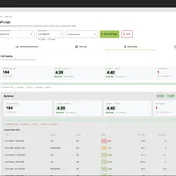
The 3CX Partner Portal is a free, reseller-scoped inventory of the 3CX instances tied to your Reseller ID. It tells you what you have. It cannot tell you when something breaks, because it has no alerting, no thresholds and no history.
If you manage a handful of systems and you’re the person who’d get the call anyway, that’s usually enough. Past that, what a paid tool buys you is a shorter gap between a system breaking and you knowing about it, and the ability to fix things without opening the 3CX console.
What the Partner Portal Actually Is
Every 3CX partner gets it. You activate it from the management console, link it to your Reseller ID, and the instances tied to that ID show up in one list.
It’s genuinely useful for what it is. You get a consolidated view of your instances, which licences sit on them, and when those licences run out. Before it existed, partners tracked that in spreadsheets, and the spreadsheet was always slightly wrong.
So the honest framing isn’t that the Partner Portal is bad. It’s that it answers a different question than most partners think it does. It answers “what do I have?” It does not answer “is any of it broken right now?”
Where the Line Falls
The distinction that matters is between a list and a monitor. A list tells you what exists when you go and look at it. A monitor tells you when something changed, whether or not you’re looking.
The Partner Portal is a list. It doesn’t send alerts, it has no thresholds to configure, it doesn’t keep a history you can look back through, and it doesn’t create tickets. There’s no mechanism by which it interrupts your evening because a trunk went down.
That’s not an oversight on 3CX’s part. Building a multi-tenant monitoring and alerting platform for resellers is a substantial product, and 3CX has reasonably decided that isn’t what the Partner Portal is for.
Here’s the comparison stated plainly:
| 3CX Partner Portal | An RMM built for 3CX | |
|---|---|---|
| Inventory of your instances | Yes | Yes |
| Licence visibility and expiry dates | Yes | Yes |
| Cost | Free with your partner account | Paid |
| Alerts when something breaks | No | Yes |
| Configurable thresholds per system | No | Usually |
| Historical data to review after an incident | No | Usually |
| Creates and closes PSA tickets | No | Sometimes |
| Make changes without opening the 3CX console | No | Sometimes |
| Bulk actions across many systems | No | Sometimes |
| Scoped access for technicians | No | Sometimes |
The “sometimes” entries in that last column are deliberate. Tools in this category vary a lot, and several of them monitor well while leaving you to make every actual change in the 3CX console. Worth checking rather than assuming.
When Free Is Genuinely Enough
Plenty of vendor comparisons skip this part. It’s the most useful section for anyone actually deciding.
The Partner Portal plus your existing tooling is probably fine if most of the following are true:
- You manage fewer than roughly ten 3CX systems
- You are personally the person who’d get the call, so an outage reaches you within minutes regardless
- Your customers are small enough that a couple of hours of downtime is annoying rather than a contractual problem
- You already have a generic monitoring platform watching the hosts, so you’d notice a server that stopped responding
- Changes are rare enough that logging into each console isn’t a real cost
Under those conditions, paying for a 3CX RMM buys you convenience and a bit of insurance. That can be a perfectly reasonable no.
The calculation shifts when the number of systems grows past what one person holds in their head, or when someone other than you is answering the phone, or when a customer contract puts a number on downtime.
What You’re Actually Paying For
Strip out the feature lists and there are three things worth money in this category.
A shorter gap between breaking and knowing. Without alerting, your detection time is however long it takes a customer to notice and call. That’s typically the next business morning. With alerting, it’s seconds to minutes. Everything else is downstream of that.
Not logging into the PBX for routine work. This is the part most partners underestimate. If adding an extension means an admin password, a console session, and a senior technician, then routine work is expensive and only a few people can do it. If it can happen through a permission model you control, the same work costs less and more of your team can do it. That’s a labour cost change, not a convenience feature.
A record of what happened. When a customer asks why calls failed on Tuesday, “I think a trunk dropped” is a worse answer than a timestamped history. This matters more as your customers get larger.
If a tool doesn’t clearly improve at least two of those three, it’s hard to justify against free.
The Part Where We Declare an Interest
We build Controvo, so treat this section as advocacy rather than analysis.
Controvo is an RMM for 3CX, and calling it that undersells it. It’s a complete management platform for 3CX: monitoring and alerting are included, and they’re the floor rather than the product.
Our particular bet is on the second item above. Controvo is built so your team runs the fleet from Controvo instead of logging into the 3CX console: extensions, ring groups, DIDs, prompts, call recordings, bulk changes across many systems at once, with techs working inside custom admin roles rather than holding client admin credentials. That’s a complete management solution for 3CX rather than a dashboard that watches one.
That’s a real difference from most of this category, which is largely built around the first item. Whether it’s the right difference depends entirely on whether your bottleneck is detection or day-to-day work. If you find out about outages fast enough already and the pain is that everything takes a senior person and a password, we’re probably a good fit. If detection is your problem and your change volume is low, a monitoring-first tool may serve you better and cost less.
We wrote a longer comparison of the tools in this space, including the ones we compete with, if you want the wider view.
Frequently Asked Questions
Is the 3CX Partner Portal free?
Yes. It comes with your 3CX partner account. You activate it from the management console and link it to your Reseller ID.
Does the Partner Portal send alerts?
No. It shows the current state of the instances tied to your Reseller ID when you open it. There’s no alerting, no threshold configuration, and no notification routing.
Can I see all my customers’ systems in one place without paying for anything?
For inventory and licence status, yes, and the Partner Portal is the right tool for it. For health, alerting, or making changes across systems, you’ll need something else.
Do I have to choose between them?
No, and most partners who pay for an RMM keep using the Partner Portal for licence and reseller administration. They’re not really competing products.
How many systems before a paid tool makes sense?
There’s no clean threshold, but the honest trigger is usually organisational rather than numeric: the point where someone other than you is expected to notice an outage. That’s when relying on a portal you have to remember to open stops working.
Does an RMM replace my main RMM, like ConnectWise Automate or Datto?
No. A 3CX-specific tool covers phone systems and sits alongside whatever manages your servers and endpoints, in the same way endpoint management sits alongside server management.
Related reading:
- What to monitor on 3CX when you manage it for other people — the signals a portal can’t alert you about
- Which tool should you use to manage multiple 3CX systems? — the wider comparison, competitors included
- How to back up 3CX across every customer you manage — one thing the Partner Portal won’t tell you is whether backups are current