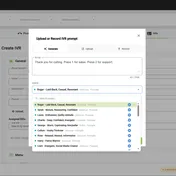

Key takeaways:
- Onboarding Preview shows every setting a policy will change before you apply it
- See current value vs. new value side by side. Nothing changes until you confirm.
- Especially useful when taking over a client’s system for the first time
- Multiple policies resolve by priority and the preview shows the merged result
- Preview first, then turn on auto-apply with confidence
The Fear: “What Will This Actually Do?”
You’ve built your policies. You’ve assigned them to phone systems. Now you click Apply.
And you hesitate. Policies change real settings on production 3CX systems: call recording toggles, backup schedules, codec configurations, security settings. If something in the policy is wrong (a missed setting, a bad value, an unexpected interaction between two policies), you’ll find out after it’s already changed.
That hesitation is rational. Configuration tools that don’t let you preview changes are asking you to trust blindly, and when you’re managing client phone systems, blind trust isn’t an option. That’s why Controvo’s policy engine was built with verification first.
What Onboarding Preview Does
Onboarding Preview is a new tab that replaces the old Policy Audit view. Before a phone system’s policies are applied, you can see exactly what will change, setting by setting.
Think of it as a dry run. Controvo calculates the resultant set of policies for a phone system (accounting for priority, global policies, and system-specific overrides) and shows you the diff. Current value on the left, new value on the right. Nothing changes until you say so.
Why “Preview” Matters More Than “Audit”
The old Audit tab told you what happened after the fact. Useful, but retrospective. If a policy changed something you didn’t expect, you found out by reading the audit log, after the damage was done.
Onboarding Preview flips this around. You verify before you commit. The workflow becomes:
- Assign policies to a phone system
- Open Onboarding Preview
- Review every change that will be made
- If it looks right, apply. If not, adjust the policy first.
This matters most during onboarding, when you’re bringing a new client’s phone system under management for the first time. The system might have existing settings that conflict with your standard. Onboarding Preview shows you every conflict before you overwrite anything.
Handling Multiple Policies
Most phone systems don’t have a single policy. They have a stack: a global baseline, a customer-specific override, maybe a system-level exception. Controvo resolves these by priority and shows you the final result.
Onboarding Preview shows the merged outcome. If Policy A sets call recording to “on” and Policy B (higher priority) sets it to “off,” you’ll see “off” in the preview. No guessing about which policy wins.
Filtering for What Matters
Not every phone system needs a preview. Some have been under policy management for months and are stable. The new filter lets you narrow Onboarding Preview to phone systems with Policy Auto-Apply on or off, so you can focus on the systems that are about to receive changes.
The Confidence to Automate
Policy automation works best when you can verify what it’ll do. Combined with Templates for first-time configuration, you get the full lifecycle: configured correctly on day one, then enforced from there. It’s part of what makes Controvo an RMM purpose-built for 3CX. Onboarding Preview lets you preview the changes, confirm they’re correct, then turn on auto-apply once you’ve seen exactly what it will change.
Getting Started
Onboarding Preview is available now in the Policies section. Select a phone system, open the Preview tab, and see what your policies will change before they’re applied. Already in the pilot? Log in and try it. Not yet? Get started to get early access.